Guide
The Studio
Ten steps from a recipe to a brief, every choice shown moving on the real engine and the sound heard, ending in a brief that Claude answers with storyboards.
Run /manovella:studio, or the skill with no argument. The Studio opens a window of its own: ten steps from a recipe to a brief, where the recipes, formats, looks, your pictures, the type and the motion are shown moving on the real engine, in the product’s colour and the film’s aspect, and the sound is heard. It ends with brief.json in the film’s work folder, the picture, the fonts and the track it needs beside it, and hands it back to Claude, who answers with the storyboards. Nothing is installed and nothing renders.
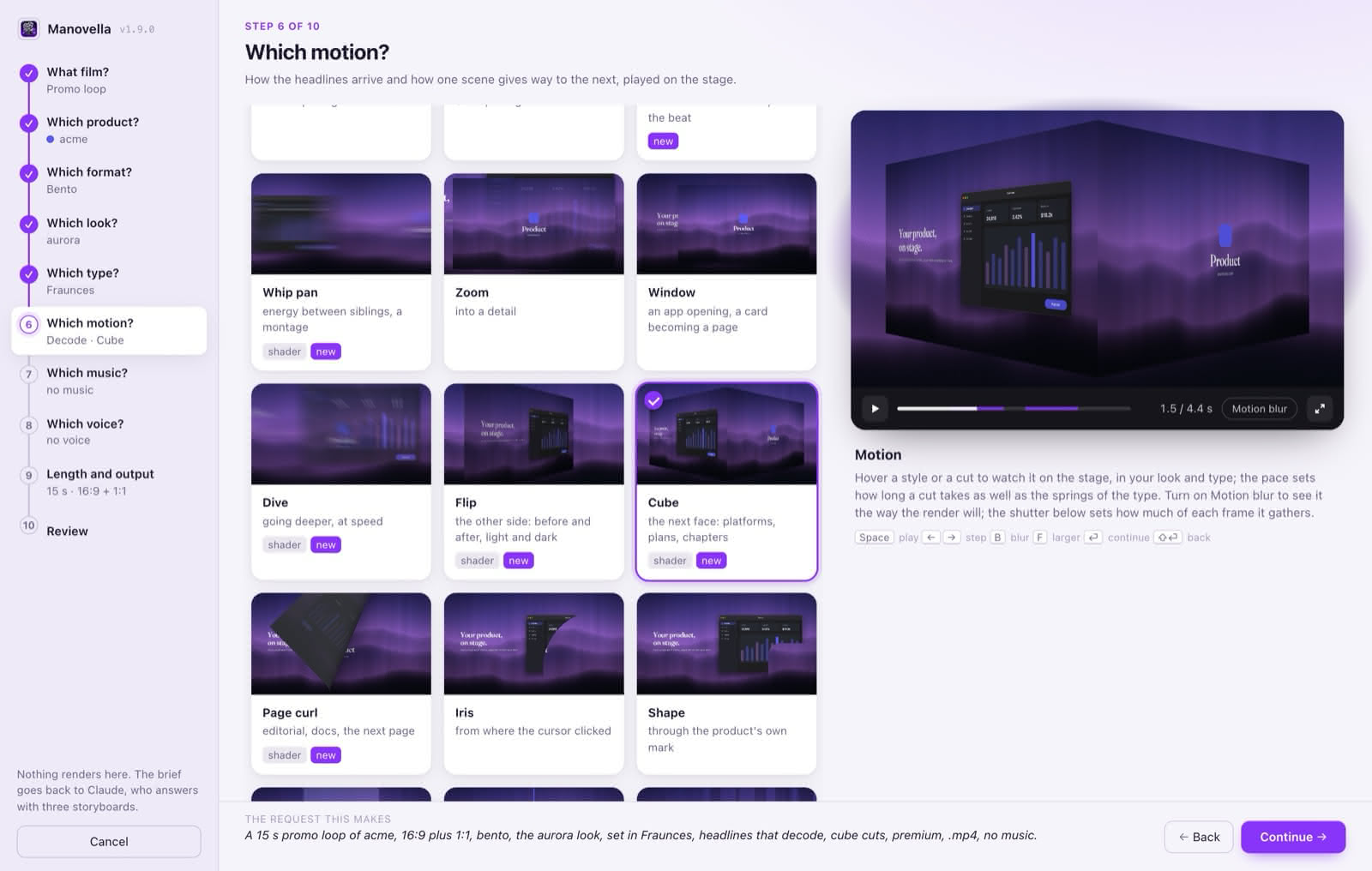
The ten steps
| Step | What you choose |
|---|---|
| What film? | A recipe: promo loop, social teaser, film in chapters, release film, README GIF, tutorial, or from scratch. Each is shown as its own template, playing. |
| Which product? | A repository among the workspace’s siblings, or a website URL; the version for a release; the name. The Studio reads its homepage, latest tag and film kit, and guesses its accent from the source (the kit’s last film, an Xcode AccentColor, a manifest’s theme_color, a --brand variable). |
| Which format? | Up to three of the eleven, or Claude’s pick of three. The reel’s scenes play on hover, in your colour and look. |
| Which look? | One of the twenty-three, or a picture from your Mac (dropped, chosen, or among the recent ones in Pictures, Desktop and Downloads) with its blur, treatment and a Ken Burns drift; the palette scheme. Every look is rendered on a stand-in product, in your colour and aspect. |
| Which type? | A type set from the kit, any family from the kit or installed on this Mac and its weight, or the brand’s own. |
| Which motion? | How headlines arrive (thirteen styles), an emphasis on one word, the family of cuts (twenty-four, by what they do to the frame), the pace and the motion blur’s shutter. |
| Which music? | A track of the brand library, a file of yours, a prompt for Gemini to make a new one, a metronome, or none: see Sound. Each track is played, with its length and tempo measured. |
| Which voice? | A preset (Promo, Launch, Narrator, Conversational, Recap, Lesson: a voice and its reading at once), or every setting by hand; what it says, the subtitles, and how far under it the music sits: see Voice-over. Each preset and each voice says the line you type before you choose it. |
| Length and output | Length (a film that speaks can last as long as its voice), aspects, tone, fps, resolution, files, reference and notes; for a tutorial, what it teaches. A rough render time is shown. |
| Review | The brief, each line editable, and the one-line request that would have said it all. |
What the previews are
- The engine’s own pages, played by calling their
seek(t). A look seen here is the look the renderer draws. One page plays at a time, at 60 fps when a frame is cheap and 30 when it is not; a new one cross-fades in over the last, and a paused one is not drawn again. - A hover is a look, not a choice. The tile under the pointer plays, and the viewer goes back to the choice when the pointer leaves.
- Motion blur in the viewer’s bar paints each frame as the mean of up to five moments, the way the render blends its sixteen: the way to judge a fast move.
- Pictures are converted once with
sips(HEIC included) to a JPEG of at most 3840 px in~/Library/Caches/manovella/, and the chosen one is copied into the work folder. The brief records where the picture came from: a wallpaper pack’s licence is often personal use only.
Keys and the window
The window keeps Manovella’s violet whatever the product: the product’s colour is in the previews, and beside its name in the steps. The viewer scrubs by dragging. From the keyboard: Space plays, ← → step, B is the motion blur, F a larger preview, Enter continues and Shift+Enter goes back. Going back keeps every choice, and so does choosing another recipe, for the ones made by hand. When Continue is off, the page says what it waits for. The window works down to 900 × 600, its sidebar reduced to the steps’ numbers.
The Studio remembers the last brief, per product, in ~/Library/Application Support/manovella/: Like last time starts from it.
Running it by hand
From a workspace, node studio/studio.mjs in the skill’s folder. It prints STUDIO <url>, then one of BRIEF <path>, CANCELLED, CLOSED or TIMEOUT, and exits. Options:
--no-open: print the URL only.--roots <dir>,…: where the repositories are. Without it, the parent of the repository the command runs in;MANOVELLA_ROOTSdoes the same.--product <path>: preselect a product.--out <dir>: where the work folder goes (default~/Downloads).
The window is the Studio’s own app, ~/Applications/Manovella.app, where it has been built (see Getting started): its name, version and icon in the Dock instead of one more Google Chrome. Otherwise, or with MANOVELLA_WINDOW=chrome, a Chrome app window on a profile of its own. Either way it closes with the Studio.